
Smartphone cameras have become powerful tools for capturing life’s moments, making it crucial to understand how to utilize them effectively. With the right tips, you can elevate your photography skills and produce stunning images and videos. From mastering basic settings to employing advanced features, small adjustments can lead to big improvements in your photos. This guide will equip you with essential techniques to capture sharper, brighter, and more professional-looking images using your smartphone. Whether you’re an amateur or aspiring photographer, these tips are designed to help you make the most of your camera’s potential and leverage the cutting-edge technology available in modern smartphones.
Know Your Smartphone Camera Features
Understand Lenses, Modes, and Settings
Smartphones often come equipped with multiple lenses, like wide-angle and telephoto, offering versatility in framing your shots. Explore modes such as HDR, which combines multiple exposures for balanced images, and familiarize yourself with the settings to optimize your photography. Adjust the ISO for better low-light performance and experiment with different modes to see their impact on your photos. Take time to test portrait mode, panorama, and macro features to understand how each lens performs in different lighting conditions and shooting environments.
Adjust Resolution, HDR, and AI Features
Resolution plays a crucial role in image sharpness. Use high-resolution settings on your phone for detailed shots. Take advantage of HDR mode for well-balanced images, especially in challenging lighting. AI features like scene recognition can enhance the colors and details in your photos, so explore these options to improve your image quality effortlessly. You should also compare standard and AI-enhanced results to see how software adjustments refine textures, skin tones, shadows, and overall dynamic range.
Master Focus, Exposure, and Lighting
Tap to Focus and Control Brightness
Achieve sharper images by using the tap-to-focus feature on your smartphone. This allows you to lock focus on specific subjects, ensuring clarity. Adjust the exposure level by sliding your finger up or down on the screen, allowing you to control the brightness of your shot for optimal results. Practice focusing on different areas within the frame to create depth, highlight details, and prevent overexposed highlights or overly dark shadows.
Shoot in Natural Light and Improve Low-Light Shots
Natural lighting is often the best light source for photography, providing a soft, even glow. Position your subject to take advantage of this light source for the best results. In low-light situations, steady your phone and use night mode to capture as much detail as possible, reducing noise in your photos. Avoid harsh overhead lighting indoors and try shooting during golden hour to achieve warmer tones and softer shadows.
Improve Composition and Stability
Use the Rule of Thirds and Clean Backgrounds
Implement the rule of thirds by aligning your subject along the grid lines to create balanced compositions. A clutter-free background helps to focus attention on your subject. Keeping backgrounds simple and clear enhances the visual appeal of your photos. Before taking a shot, scan the edges of your frame and remove distracting objects that may draw attention away from your main subject.
Keep Your Phone Steady with Stabilization Tools
Camera shake can ruin a perfect shot, so use tools such as tripods or built-in stabilization features to keep your phone steady. This reduces blurriness, especially in low-light conditions or when using zoom functions, leading to crisp and clear images. You can also brace your elbows against your body or lean on a stable surface to minimize unwanted movement during capture.
Use Advanced Features for Professional Results
Shoot in Pro Mode and Edit Smartly
Pro mode provides manual control over camera settings like ISO, shutter speed, and white balance. This feature is ideal for users looking to experiment and push the boundaries of mobile photography. Post-processing with editing apps can further enhance your images, allowing you to adjust colors, contrast, and clarity for a polished final result. Make subtle adjustments rather than extreme edits to maintain natural tones and preserve realistic textures in your photographs.
Capture Stunning Details with HONOR Magic7 Pro
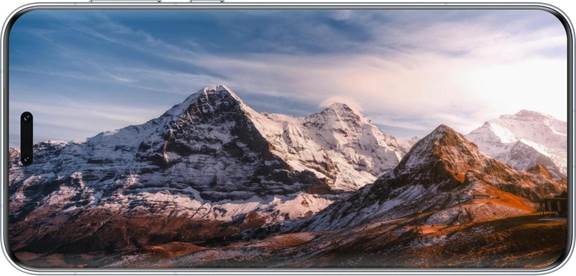
The HONOR Magic7 Pro smartphone offers an array of features, like the 200MP Telephoto Camera and OIS stabilization, that allow for high-resolution images with less motion blur. Utilize its AI-enhanced modes and digital zoom to capture intricate details even from a distance, making it a powerful tool for any photography enthusiast. Its advanced image processing engine further enhances clarity, dynamic range, and color accuracy, helping users capture professional-level results in various lighting conditions.
Conclusion
Mastering your smartphone’s camera features and techniques can drastically improve the quality of your photos. By understanding and utilizing the right settings, focus, and composition, you can capture stunning images with ease. Explore and practice these tips, and let your creativity shine through your photography. Whether you’re documenting everyday moments or aiming for professional-grade shots, these insights will help you make the most out of your device’s capabilities, ensuring you never miss a picture-perfect moment.